Ask Finble about your own numbers
Finble is BusyBee Hub's assistant for tax and accounting questions, grounded in your own invoices, expenses, bank feed and tax position, nothing else, and nothing invented.
Ask in plain English
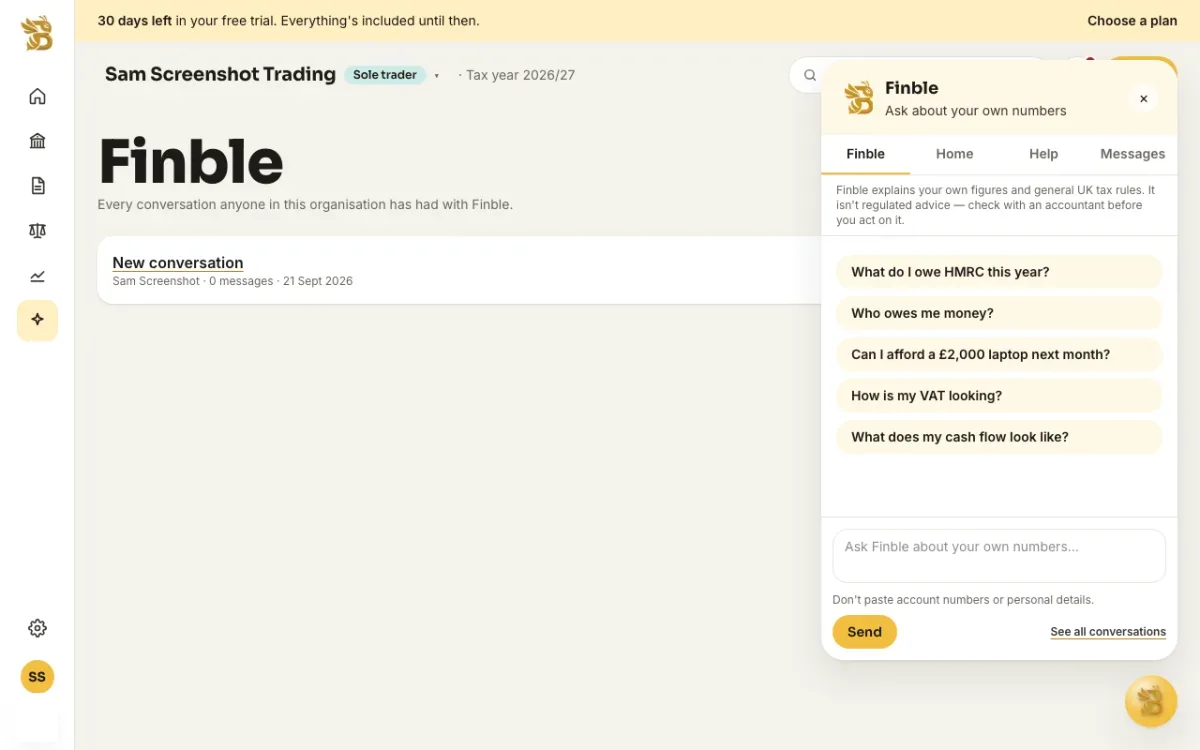
'What do I owe HMRC this year?', 'Who owes me money?', 'Can I afford a £2,000 laptop next month?', 'How is my VAT looking?', 'What does my cash flow look like?' Finble answers from the figures already in your account and links to the page where you can act on them.
Grounded in your own books
Finble sees your bank balances, what you're owed and what you owe, your Self Assessment estimate, VAT position, cash flow forecast, Radar insights, profit and loss and property figures, along with the customer, supplier, property and bank account names and document numbers that go with them. It never sees tax identifiers such as your NINO, UTR or VAT number, bank account numbers, email addresses or free-text notes, so an answer never repeats one back to you. It doesn't receive postal addresses either, apart from whatever name you've given a property; use a nickname if you'd rather it didn't see one.
Where it lives
- Find it
- The bubble in the corner of every Hub page
- Your conversations
- Saved on the Finble page; delete any you don't need
- Daily limit
- 50 messages per organisation
Limits
Finble explains your own figures and general UK tax rules; it isn't regulated advice, so check with an accountant before you act on anything it tells you. It never takes an action on your behalf.
Need the how-to?
What Finble can see, what it never sees, and how to ask it something.
Read: Ask Finble about your own numbersTry BusyBee Hub free for 30 days. No card required.
Try for free