Reports that update themselves
Every report is built from the invoices, bills, expenses, bank transactions and journals already in BusyBee Hub, on the cash basis your tax return uses, or on accruals for your accountant. Nothing to prepare, nothing to reconcile by hand.
Profit and loss, and a balance sheet that balances
Income and expenses by category with last period alongside, disallowed costs listed separately and, for landlords, a line per property. Click any figure to see the postings behind it. The balance sheet lays out bank balances, money owed to you and by you, VAT, loans, drawings and capital in the same boxes the self-employment tax return uses; add equipment or opening balances with a manual journal.
For your accountant
- Trial balance, aged debtors and creditors, VAT summary
- CSV or PDF
- General ledger, per account
- CSV or PDF
- Accountant pack
- One ZIP, the whole tax year
Cash flow
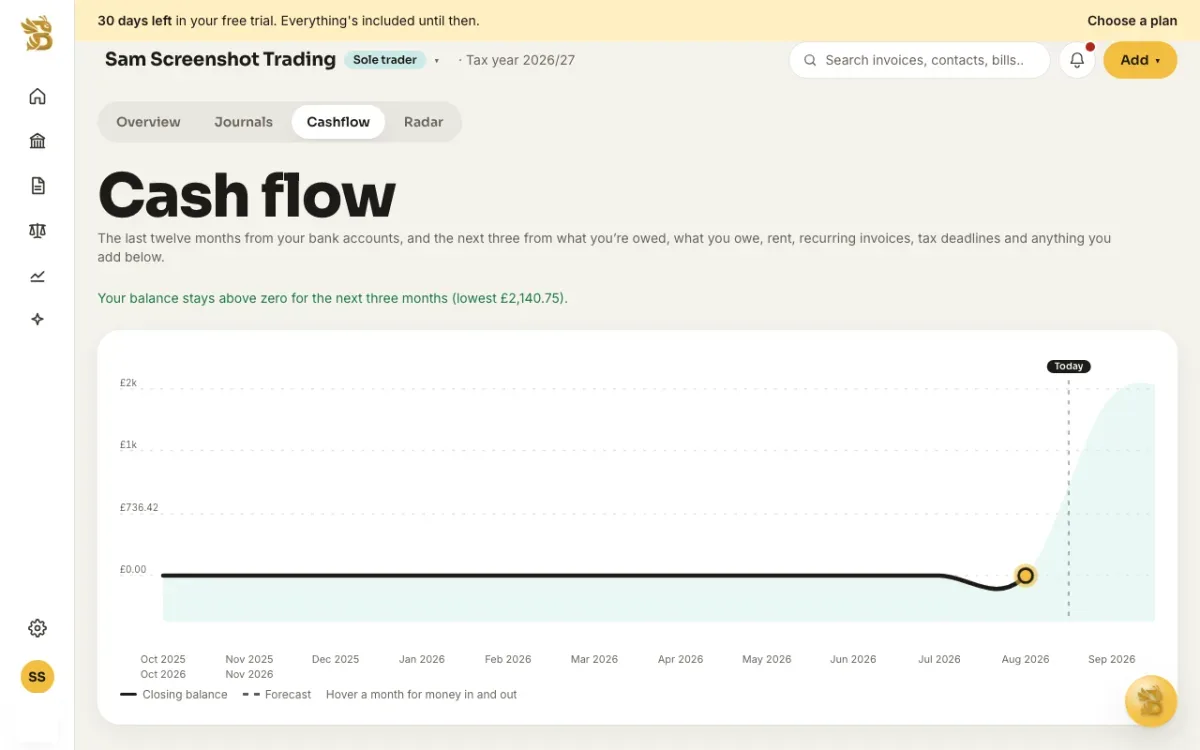
Twelve months of money in and out from your bank feed, and the next three months from the invoices you're waiting on, the bills and rent that are due, your recurring invoices and your tax deadlines. Add anything else you know is coming, and we'll warn you the moment the forecast dips below zero.
Radar
Every night Radar reads your numbers and tells you what needs you: an invoice that's gone overdue, bank transactions waiting to be explained, a VAT purchase without a receipt, a tax deadline inside 30 days, a month where spending jumped, rent that's fallen behind. Snooze what can wait, and get the week's list by email every Monday.
Need the how-to?
How the chart, the forecast and the below-zero warning work, and what to do when one fires.
Read: Plan your cash flowTry BusyBee Hub free for 30 days. No card required.
Try for free